
Free apps, full source code
Two complete React apps I built and use myself. Try each one in your browser, then download the whole project and make it yours. MIT license, no sign-up and no email needed.
Free app 1 of 2
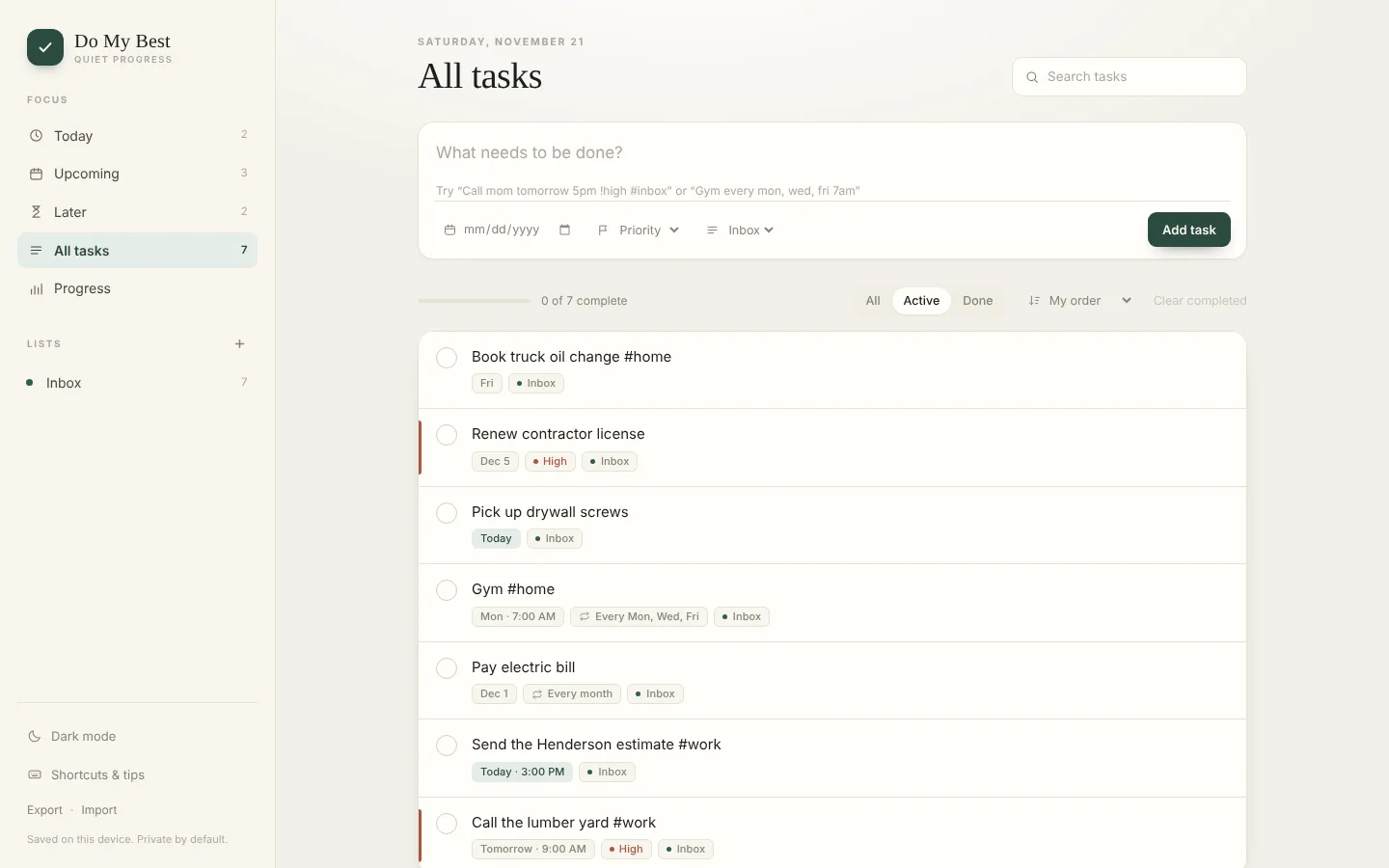
Do My Best
A quiet to-do list that installs on your phone and computer
Type tasks the way you would say them, like "Call mom tomorrow 5pm !high #home", and Do My Best sorts out the date, time, priority and list. It works offline, installs like an app, and can sync across your devices through a free Firebase account.
What it does
- Smart quick-add that understands dates, times, repeats, priorities and #lists
- Repeating tasks, reminders, steps inside a task, and drag to reorder
- Today, Upcoming, Later and Progress views, with a streak and a 14-day chart
- Send any task to Google Calendar, Outlook or Apple Calendar
- Works offline and installs on Windows, Mac, Android and iPhone
- Optional free sync with Firebase (Google or email sign-in), plus export and import
About the demo: The demo saves tasks in your own browser only. Sign-in and sync appear once you connect your own free Firebase project, which the included SETUP guide walks through step by step.
- Built with
- React 19, Vite 8, Firebase (optional), installable PWA
- File
- do-my-best-v2.0.zip
- Version
- 2.0, updated November 21, 2026
- Size
- 332 KB (339,678 bytes)
- SHA-256
dadbf2b41bbfa9588e1903557e8a7ef938e6709c13bcf89b2a54a2a0dbed8e47
Free app 2 of 2
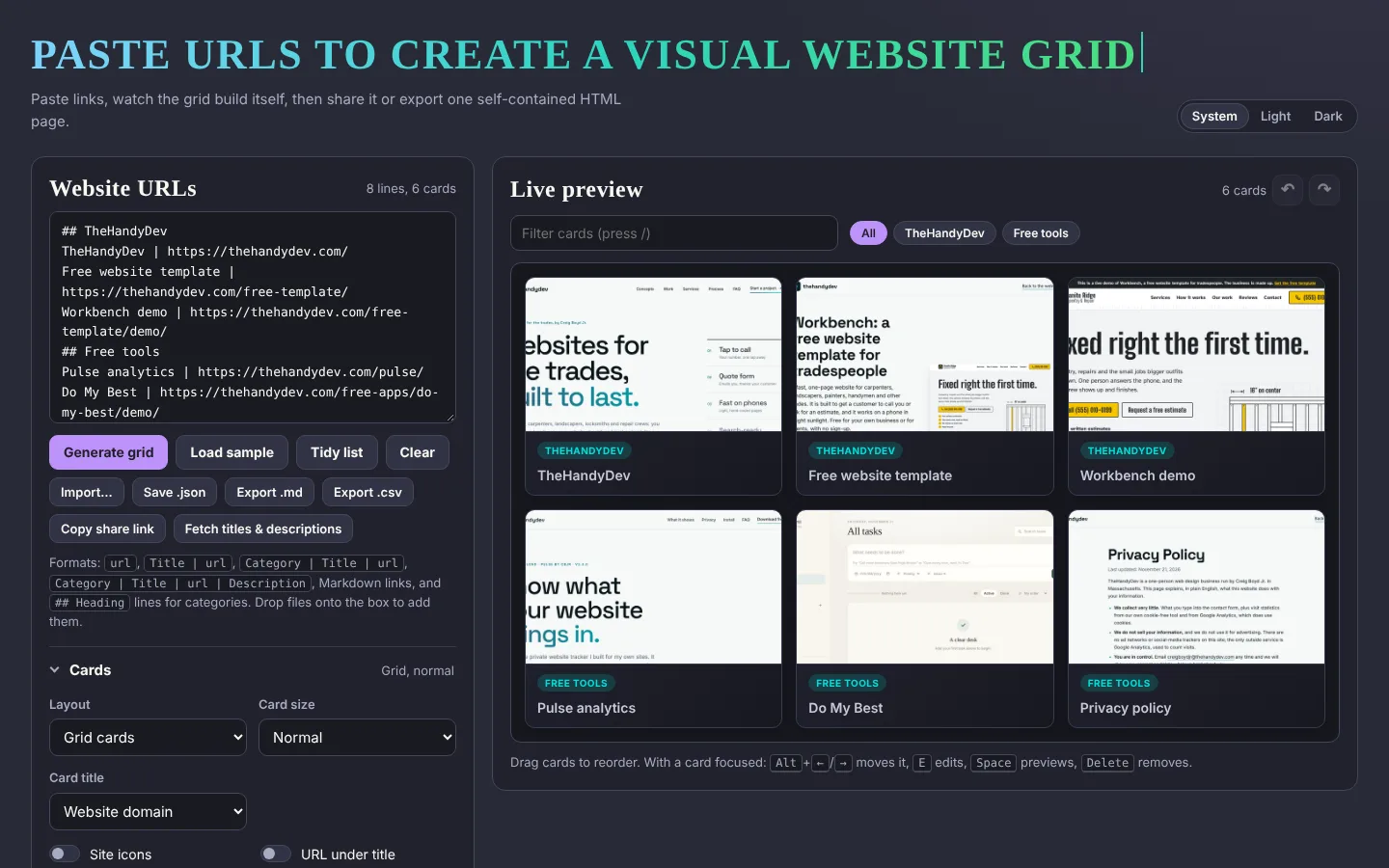
Screenshot Grid Generator
Turn a list of links into a live screenshot gallery
Paste links, a Markdown list, a CSV or your browser bookmarks, and get a grid of website screenshots. Edit and reorder the cards, then share the grid with a link or export it as one self-contained HTML page.
What it does
- Paste plain links, "Title | url" lines, Markdown, CSV, JSON or a bookmarks file
- Drag to reorder, edit each card, and undo or redo every change
- Grid or list layout, four card sizes, categories, site icons and descriptions
- Share the whole grid in a link: nothing is uploaded anywhere
- Export as one HTML page with search and category filters, or as Markdown, CSV or JSON
- Tested, linted, and the build works from any folder, including GitHub Pages
About the demo: Screenshots come from free outside services (WordPress mShots by default), so a brand-new site can take a few seconds to appear, and the free services have daily limits.
- Built with
- React 19, Vite 8, plain CSS, Vitest
- File
- screenshot-grid-generator-v2.0.zip
- Version
- 2.0, updated November 21, 2026
- Size
- 85 KB (87,149 bytes)
- SHA-256
53b13125c40efb9ae9ea939523c2f38362a7f8f8f89f20f794a673300552b628
Running the code
To run or change the code you need Node.js 20.19 or newer. Unzip, then run npm install and npm run dev in the folder. The README in each zip explains the rest.
License
Both apps use the MIT license. In plain English: use them, change them, use them for clients, even share or sell your own version, as long as you keep the copyright line. The LICENSE file is inside each zip.
Made by Creig Boyd Jr. of TheHandyDev.
Need an app or a website built?
I build fast, custom websites and small web apps. Tell me what you need and I will tell you what it would take.
Start a project